Share
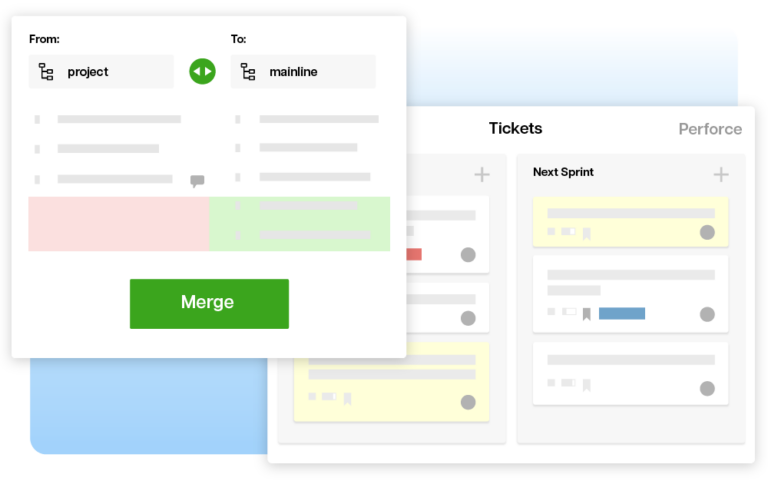
Assembla provides the world's best subversion hosting in the the cloud. Our secure, reliable, and feature-rich subversion hosting is FREE and scalable with optional paid plans that offer ticket, collaboration, and management tools that integrate with your subversion repository.
Every SVN Client has advantages and disadvantages. We've taken the most popular subversion clients and written reviews on each one to help you weigh your options and select the right SVN client for you.
Some are merely GUI wrappers for the command-line client that comes bundled with the Subversion Server, while others are geared to assisting with specific types of projects.
To get started choosing the right tool for you, use the links below to jump to the list of SVN clients for your Operating System.
| Name | Operating System | License | Cost | Integration | Rating |
| Tortoise SVN | GPL | Free | Windows Shell Integration | ||
| Syncro SVN | Commercial | $59 USD (Free Trial Available) |
Standalone GUI | ||
| Cascade | Commercial | $200 USD per user per year | File System Driver | ||
| RapidSVN | GPL v3 | Free | Standalone GUI | ||
| Qsvn | GPL v2 | Free | Standalone GUI | ||
| Subcommander | GPL v2 | Free | Standalone GUI | ||
| Workbench | Apache License v1.1 | Free | Standalone GUI |
This free SVN Client is open-source and integrates directly with yur Windows Shell giving you access to all Subversion Commands directly from Windows Explorer. Tortoise SVN is by far the most widely-used and perhaps the most versatile SVN Client for Windows. It can be configured on a project-by-project basis, can integrate with virtually any web-based bug ticketing systems, and even features the super slick TortoiseDiff tool to allow you to view changes from one version of an image to the next.
SmartSVN is a powerhouse SVN Client available for all major Operating Systems. Built to run on top of Java, this super-slick commercial client comes in three flavors: Foundation (the Free version), Professional (Free trial included in Foundation download for 31 days), and Enterprise. You can view the major difference between the various versions here.
The built-in Diff Tool is clean and uses color highlighting to point out the differences between the Repo and Working copy just like you would expect. The Working Copy File Browser is your standard 2-pane file explorer but one major difference compared to other SVN Clients is the way it displays working copy files for the current directory and all of its subdirectories in the main window at once. It is sortable on sortable on 8-different columns, and pretty easy even for a novice to get the hang of in just a few minutes.
If you ever get stuck while trying to figure out how to do something in the software, this is where the benefits of choosing a commercial SVN Client really kick in. The Documentation and FAQ on their site is head and shoulders above any documentation you'll find for the open-source SVN Clients out there.
The downside is that the current version is compatible only up to Subversion 1.5, however the 6.5 Release Candidate update advances compatibility up to 1.6. If you want something small and lightweight, SmartSVN might not be for you, but with a highly-polished interface and tons of great features, you should definitely consider giving it a try.
One of the more affordable multi-platform compatible commercial SVN Clients, Syncro SVN sports a fully customizable yet surprisingly lean user interface. It is easy enough to use to be suitable for non-developer audiences, yet has enough features to still be useful for the seasoned subversion user. With a dockable visual studio style interface, compatibility up to Subversion 1.6, built-in DIFF viewers, revision log viewer, svn console, and handy revision graph, there are lots of tools to help this SVN Client stand out from the available open-source SVN Clients. It is also well documented with both pdf and online user-guides as well as several tutorial videos—another feature that sets it apart from the various open-source alternatives.
The main draw-back to Syncro SVN is that they only provide a 30-day trial license, so if you want the shine-and-polish of a commercially supported SVN Client, be prepared to purchase licenses after the trial license expires. Syncro SVN is definitely worth the investment, however their lack of a free version of their software puts them one step behind the equally impressive SmartSVN Client.
Syncro SVN Website | Download Syncro Svn (Trial) | User Guide
Another well-documented commercially supported SVN Client for all popular platforms, Cascade SVN Client is definitely worth giving a try. For those of you on developing with Subversion on Windows Machines that want a little more power than TortoiseSVN provides, Cascade comes bundled with both a proprietary Command-line client touted to be superior to the original Subversion CLI, and also comes with a windows shell extension that integrates with Windows explorer much like TortoiseSVN. It is important to note that the Windows Explorer extension is only available when browsing files stored on the Cascade created drive (Cascade File System).
Another standout feature is the browser-based "Cascade Manager" which allows you to configure, review, and administer several different repos from a simple locally hosted web application. In addition Cascade (optionally) creates it's own drive/file system on your computer during the installation project to centralize workflow and location of your various project's working copies.
While Cascade does take some time to get the hang of, it is definitely worth the effort, and it's license allows it to be used for free (even for commercial purposes) for one user per installation, and should prove to be quite a useful tool to intermediate to advanced developers using subversion.
RapidSVN is another standalone cross-platform graphical subversion client. Its standout features are its clean interface and its bookmarking feature that allows you to easily switch between repository and local working copy views. This particular SVN Client is simple enough that it can be used by beginners, yet robust enough to still be useful to even the most advanced SVN users. Whereas other tools like Tortoise and Subcommander come with built-in Diff tools, you will need to download and install your own Diff tool if you want to use that feature with RapidSVN. Overall though, for an SVN client only at version 0.12 as of this writing, it looks to be a promising addition to the growing number of cross-platform SVN Client GUIs.
QSvn is an open-source SVN Client that seems to also be in its early stages (pre 1.0 as of this writing) with a lot of promise. It is just as clean and simple to use as RapidSVN with an extremely accessible and easy to use interface. While it lacks some of the features that make Subcommander so nifty - like the ability to easily switch views between your repository and your actual working copy, novice SVN Client users will find this a very simple and straightforward tool to use. Some users will however find the output of the diff tool to the log window annoying in files where a large number of changes have occured since the last update.
Subcommander is a cross-platform graphic subversion client supporting most SVN features. While it does not integrate directly with your Operating System's File Explorer, it is multithreaded so you can simultaneously run svn commands on multiple working copies, its integrated repository and working copy browsers allow you to switch quickly between views, and the included Submerge tool provides a clean and simple visual diff and merge tool for text files. A major drawback of working with Subcommander is that the latest stable version is only compatible up to Subversion 1.5.1. If your Subversion server is running the latest release (currently 1.6.6) you'll want to take a look at some of the other great SVN Clients out there.
Built on top of the pySVN Python Interface to Subversion, Workbench is not for the faint-hearted novice. While it does feature all the bells and whistle you'd expect from any good SVN Client. Workbench will most likely appeal to more advanced SVN users, and because of the sparse interface, even advanced SVN users may need to consult the getting started guide on the pySVN project site to set up their first SVN Project. It does come with a build in diff viewer, though again, the spartan interface can be confusing the first time you use it. One thing Workbench has going for it that other open-source projects seem to miss the mark on—is its documentation. It is one of the better documented open-source SVN Clients, however the necessity of having to consult the documentation to get started, points to the flaws in this SVN Client's poorly planned interface. Workbench ranks pretty low on the user-friendlyness scale and is probably not suitable for beginning users of Subversion or SVN Clients.
Workbench(pySVN) Website | Download Workbench(pySVN) | User Guide
Assembla provides the world's best subversion hosting in the the cloud. Our secure, reliable, and feature-rich subversion hosting is FREE and scalable with optional paid plans that offer ticket, collaboration, and management tools that integrate with your subversion repository.